Hidden EXIF Data in Photos: What Your Pictures Could Reveal
A photo can carry details you cannot see, including location, capture time, and device information. That gap between the image and the file is one reason I built Scrub Before Send.
A photo from a quiet morning at home may show only a coffee cup and a table. But if location recording was enabled, the original file could also carry coordinates for where the picture was taken. That detail is easy to miss because it is stored with the file, not printed into the image you see.

Illustrative photo only. The sample metadata below is mocked and was not extracted from this image.
EXIF example:
- GPS coordinates:
37.8078° N, 122.4750° W - Date and time:
May 18, 2026 at 10:42:19 - Device:
iPhone 15 Pro - Camera details:
24 mm equivalent lens; ƒ/1.78, 1/120 s, ISO 100 - Editing software:
iOS 18.6
What EXIF data can reveal
EXIF is a common format for storing information alongside a photo. Depending on the device and the file's history, it may include the date and time, camera or phone model, camera settings, editing software, and sometimes GPS coordinates.
Not every photo contains all of these fields. Location appears only when it has been recorded, and editing or exporting an image can change what remains in the file. Still, when coordinates are present, a picture does not need a visible street sign or house number to point to a place. A single ordinary image taken at home could give someone a much more specific clue than the pixels alone.
When several images include dates and locations, small details can add up to a pattern: places someone visits often, or roughly when they tend to be there. That is not what every photo reveals, and it is not a reason to panic about every upload. It is a reason to know what is attached to the particular file you are about to share.
The picture is only part of the file
Imagine taking a photo inside your home and sending the original to a public forum or group chat. The room itself might reveal nothing about your address. But if the file still contains GPS data, a recipient who checks its metadata may be able to place where it was captured. The risk depends on what the file contains and who receives it; the important point is that the information can be invisible during an ordinary preview.
Sharing services may process images differently depending on the feature, format, app version, and future changes. Some workflows remove some metadata; others may preserve more of the original. I would not treat any one service's behavior as a permanent privacy guarantee. If the details matter, inspect the copy you intend to send before it leaves your device.
Why I made Scrub Before Send
This gap between what a photo shows and what its file can carry was one of the reasons I made Scrub Before Send. I wanted a practical step between choosing an image and sharing it: review the hidden metadata, check the visible content for faces or personal details, then create a separate copy on the device. The original stays unchanged, and the image is not uploaded for processing.
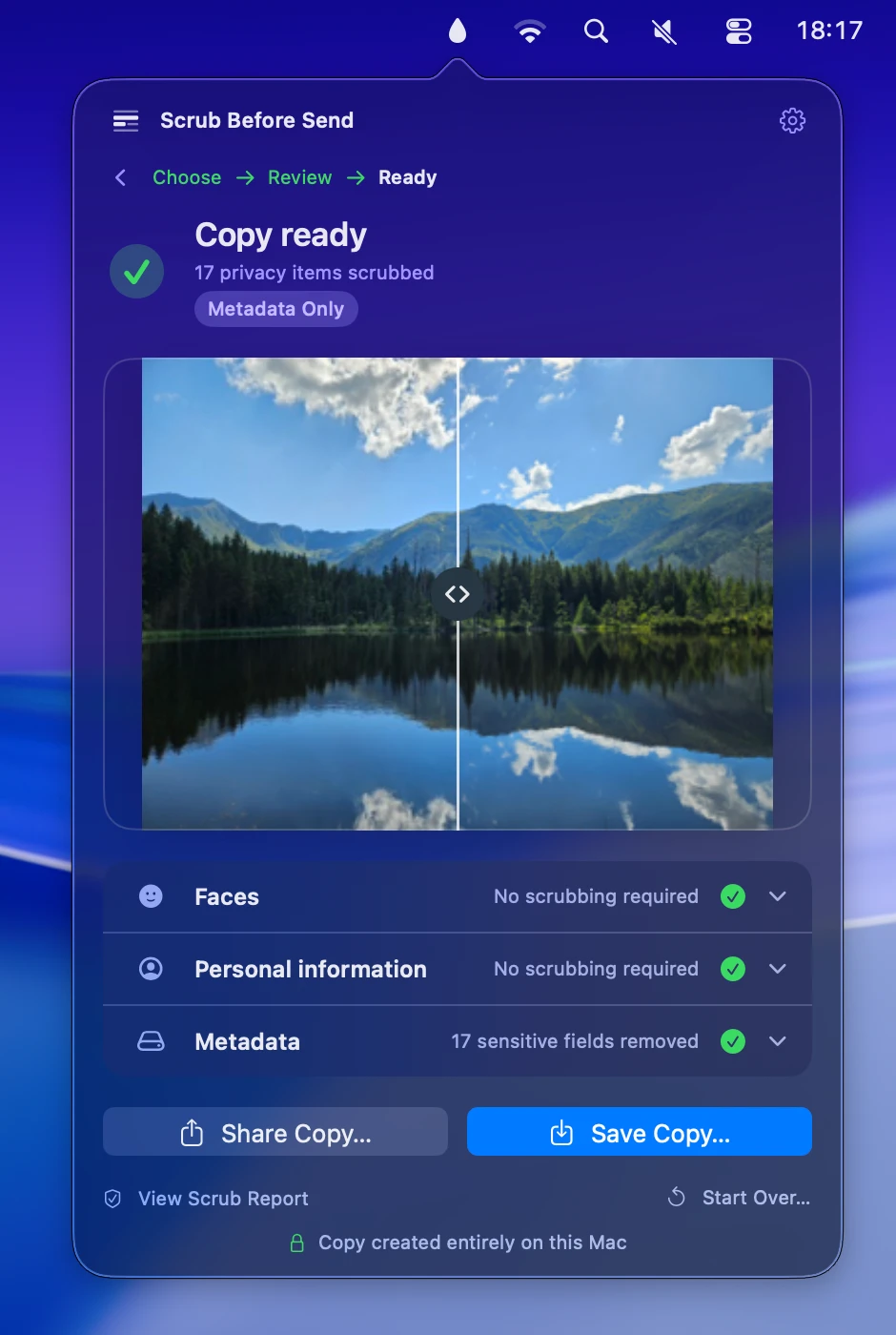
The goal is not to make people afraid of their photos. It is to make the less visible information easier to notice, so each person can decide what they are comfortable sharing.
Want to check an image before you share it? Visit Scrub Before Send, get it for Mac on the App Store, or get it for Android on Google Play. You can also read the project story.
A simple check before you send
If you are sharing an original photo, take a moment to inspect its metadata and visible details. Check the final copy, not just the original or a preview, and use the version you actually want to send. A quick review can help avoid sharing a location or other detail you did not mean to include.
Review your next photo with Scrub Before Send. Available for Mac and Android.